


GPS Coordinates Locator Map
4.7244.00 Reviews
App Specs
- Version
- 3.1.0
- Updated On
- License
- Free
- Downloads
- 10,000,000+
- Developer
- Firehawk
- Categories
- Maps & Navigation
- Platform
- Android
Screenshots
 Analysis by AppCompare
I usually judge a location app by what it helps me do after the first few curious minutes: can I return to a useful place, explain its position to someone else, or make sense of a coordinate without opening several tools? GPS Coordinates Locator Map is built around that practical niche. It is a free Maps & Navigation app from Firehawk, and its focus is more on seeing and saving a position than on replacing a full turn-by-turn navigator. That distinction matters: I find it most worthwhile when I have a reason to work with exact locations, not simply when I need the quickest route across town.
Why the first week feels useful
The appeal is easy to understand during the first few outings. A map can show where I am, but coordinates give me a compact way to describe a place that may not have a clear street address. That can be handy at a trail entrance, a lakeside pull-off, a large park, or a meeting point inside a sprawling venue. Rather than relying on “near the second gate,” I can use a position that another person can check on a map.
It also gives curious users a low-pressure way to become familiar with latitude and longitude. I would start by comparing the displayed location with a recognizable landmark, then save a point I expect to revisit. That simple habit makes coordinates less abstract: one saved mark might be a trail junction, another a parking area, and another the spot where a route becomes confusing. The app’s value is clearest when each point has a reason to exist.
When it earns a place in a regular routine
After the novelty of looking at one’s location wears off, repeat use depends on whether exact position solves a recurring problem. For a person who hikes, visits unfamiliar neighborhoods, scouts outdoor spots, or coordinates meetups where addresses are awkward, saved places can make the app a useful reference. I would treat it as a location notebook: save a point when it is genuinely useful, give myself a clear mental label for it, and return to it when planning the next outing.
That is different from keeping every place I pass. A crowded collection of unmemorable pins is harder to use than a short set of deliberate markers. I would save places that are difficult to describe, easy to overlook, or likely to matter again. For everyday errands with a clear street address, a standard map app is usually quicker; for a remote meeting point or a location shared in coordinates, this focused tool has a more obvious job.
The upkeep is modest, but your habits matter
A location app does not need much maintenance in the traditional sense, but it does benefit from sensible phone and saving habits. GPS needs access to location to do its core job, so I would check that permission is enabled when I want a current position and consider whether I need location access at other times. If I save a place, I would also make a note of what the pin means outside the app when the context is important—for example, “north entrance” rather than just “meeting spot.” Coordinates identify a point; they do not explain why that point matters.
It is also worth checking a saved location before setting off, particularly if the trip depends on reaching a precise entrance or trail junction. A coordinate can remain useful while the surroundings change: a path may be closed, a gate may be inaccessible, or a landmark may no longer be obvious. I see the app as a precise reference, not a guarantee that a site is open, reachable, or safe.
Worth Reading Before You Choose

EA SPORTS FC Mobile 26 Is a Bigger Football Game, but It Takes Time

Flipboard Shows What News Apps Must Do Beyond the Feed

Switching to Android Auto Means Rethinking Your Driving Routine

Google Calendar Makes a Crowded Week Easier to Manage

Ludo King Makes the Most of the Minutes Between Plans

Baby Panda World Brings Quick Play to Modern Phones, but Its Game Library Feels Busy
What can become tiring
The same precision that makes coordinates valuable can feel like extra work when I only want ordinary directions. If I have to translate a pin into a route, explain the format to a friend, or switch to another tool for navigation, the process may be less convenient than sharing a familiar address or map pin. Satellite, terrain, and street views can help me inspect a place from different angles, but choosing a view does not remove the need to check the real-world route.
There is another small source of friction: coordinates are unforgiving when copied or read carelessly. A misplaced digit or a misunderstood format can point somewhere quite different, so I would double-check a shared position before anyone sets out. People who mainly want live directions, traffic-aware route choices, or an all-purpose travel planner may be happier with a mainstream navigation app. This one makes more sense as a companion for exact-location tasks than as the only map on a phone.
Using GPS Coordinates Locator Map beyond the first impression
I use the first few days with a location tool to learn whether it makes exact positions easier to understand and reuse, rather than simply adding another map to my phone. Here, I’ll look at how that initial usefulness can turn into a repeatable habit, and what practical checks help keep saved points meaningful.
Features That Stand Out
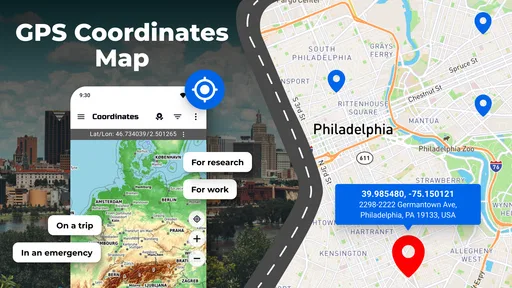
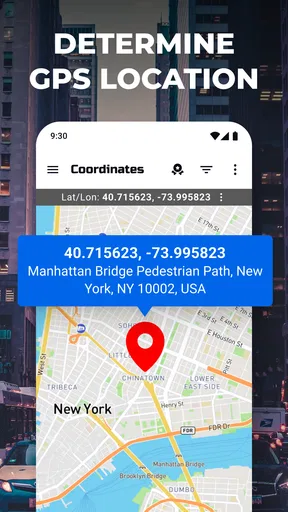
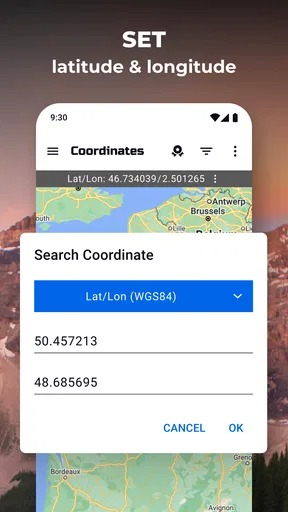
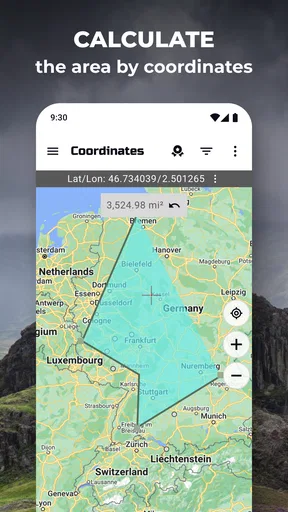
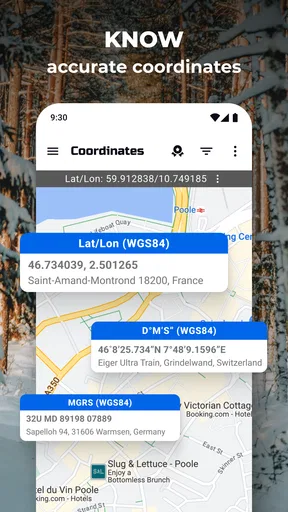
So, what makes GPS Coordinates Locator Map special? For starters, it’s not just about point A to B navigation. This app is all about precision. It gives you exact coordinates, which is a game-changer if you’re into geocaching or need specific data for your travels.
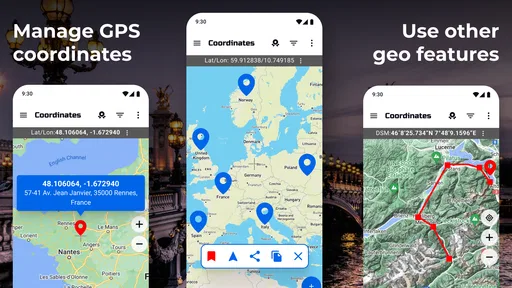
Another cool feature is the map overlays. You can switch between satellite, terrain, and street views. It’s like having a mini Google Earth in your pocket. I found this particularly helpful when trying to pinpoint a location in a busy urban area.
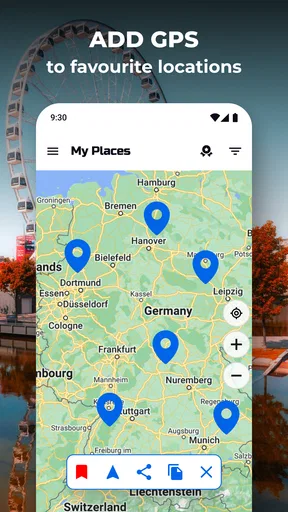
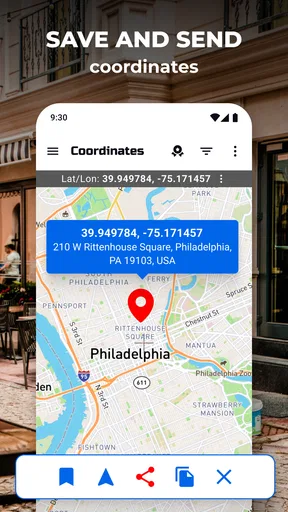
One of my personal favorites is the ability to save favorite locations. Whether it’s a secret fishing spot or the best view in the city, you can save it for easy access later. Plus, you can share these locations with friends. So, no more vague "meet me by the big tree" instructions.
User Experience
The user interface is as friendly as a golden retriever. Seriously, even my tech-challenged aunt could navigate through it without a hitch. Everything is where you’d expect it to be, with clear icons and intuitive navigation. The app runs smoothly, with no lag, which is crucial when you’re relying on it in the middle of nowhere.
One thing worth mentioning is how lightweight the app is. It doesn’t hog your phone’s resources or drain your battery, which is a huge plus for those long hikes or road trips.
Real World Application
Now, let’s talk about practicality. I decided to put the GPS Coordinates Locator Map to the test on a weekend hiking trip. The app was incredibly accurate, even in areas with spotty signal. I was able to track my path, mark points of interest, and even check elevation changes along the route. It’s like having a personal scout in your pocket.
For those who travel often, the app’s ability to convert coordinates into addresses is a lifesaver. Ever found an amazing restaurant but had no clue how to jot down its location? Now you can just save the coordinates, and the app does the rest.
Some Thoughts on Improvements
While the app is pretty stellar, there’s always room for improvement. I’d love to see more integration with other apps, like being able to export location data to a full-fledged navigation app. Also, while the app does a great job with coordinates, some users might appreciate a brief tutorial on how to read and use them effectively.
It would also be nice to have a night mode for those late-night adventures. While the white background is clean, it can be a bit glaring in the dark.
Choosing it for the long haul
The practical test for me is a familiar weekend plan: I arrive at a park with several entrances, leave the car near one of them, and later want to meet a friend at a less obvious trail access point. I can save the useful positions while I am there, then share the relevant one rather than trying to describe a turnoff by memory. The key is to check the marker against the terrain and the route before relying on it. A saved coordinate is most helpful when it removes ambiguity, not when it is treated as a substitute for looking around.
For a casual city user, that kind of situation may happen only occasionally. A regular outdoor visitor is more likely to find recurring value, especially if the same areas come up repeatedly. Travelers can also use a coordinate as a stable reference when a place is difficult to spell or has no dependable street address. In contrast, someone who wants automatic route planning from door to door is better served by a conventional navigation app, with this one reserved for the moments when a precise point matters more than a route.
Who should keep it installed
I would recommend it to people who exchange locations in coordinate form, revisit outdoor spots, or want a straightforward way to inspect and save a position. It may also suit someone learning how maps represent locations: checking a known landmark against its coordinates can make the system feel practical rather than technical. The combination of a map and saved points is useful when a place is memorable to you but hard to describe to another person.
I would skip it as a primary navigation choice if my routine mostly involves commuting, finding businesses, or avoiding traffic. Those jobs are better matched to apps designed around route guidance and frequently updated road information. It is also not a replacement for a paper map, a compass, or preparation on a remote trip. I would never make a safety plan depend on a phone display alone; battery, reception, weather, and the actual condition of a route still matter.
What to expect before downloading
The app is listed for Everyone and works on Android starting with version 5.0. It has a 4.5 average from around 62,000 ratings, with over 10 million installs, so it has found a substantial audience among people looking for a GPS locator. The current version is 3.1.0, and it first appeared on December 3, 2019. The app is free to download, though it includes optional in-app purchases priced from $0.99 to $99.99 per item.
For day-to-day use, I would begin by allowing location access when I need the live position, then test the app somewhere familiar before depending on it in an unfamiliar area. If I am sharing a point, I would verify that the recipient can open or interpret it and confirm the intended location by checking nearby landmarks. This small bit of care prevents the common mistake of assuming that a coordinate automatically communicates the entrance, path, or meeting arrangement.
Final Verdict
All in all, GPS Coordinates Locator Map is a nifty tool that punches well above its weight. It’s not just for the adventurers and explorers among us. Whether you’re a city dweller, a traveler, or someone who occasionally gets lost in the grocery store, this app has something to offer.
If you’re looking for a reliable, user-friendly app to help you navigate life’s twists and turns, give this one a shot. Who knows, it might just become your go-to travel companion. Just don’t blame me if you suddenly find yourself planning more trips to make the most of it!
My lasting impression
For me, the deciding question is whether I have a repeat reason to save and revisit exact positions. If I do, the app can earn a quiet, practical spot on my phone without needing to become an everyday habit. If I do not, its appeal may fade once I have checked my location a few times. That is not a flaw so much as a clear boundary: it is a focused locator, and its lasting value comes from particular tasks rather than constant use.
I would keep it alongside a general-purpose map when coordinates are part of my plans, and choose the general map alone when all I need is ordinary directions. Used that way, it is easy to understand why someone might return to it month after month—and equally easy to recognize when another tool is the better fit.
Pros
- Accurate location pinpointing.
- User-friendly interface design.
- Low battery consumption.
- Offline map availability.
- Customizable settings options.
Cons
- Limited features in free version.
- Occasional map loading delays.
- Ads can be intrusive.
- Requires internet for updates.
- Not optimized for older devices.
FAQs for GPS Coordinates Locator Map
How accurate is the GPS Coordinates Locator Map?
The GPS Coordinates Locator Map utilizes advanced satellite technology to provide precise location data. While it generally offers accuracy within a few meters, factors such as weather conditions, terrain, and building interference can affect precision. Regular updates and optimizations ensure improved accuracy over time, making it reliable for most navigation needs.
Does the app work offline?
The GPS Coordinates Locator Map offers limited offline functionality. You can download specific maps for offline use, which allows you to access basic location services without an internet connection. However, real-time features like live traffic updates and dynamic routing require an active internet connection for optimal performance.
Is the app free to use?
The GPS Coordinates Locator Map is free to download and provides basic features at no cost. However, there are optional in-app purchases and subscription plans that unlock premium features such as ad-free navigation, advanced mapping tools, and enhanced location services. Users can choose based on their needs and budget.
What devices are compatible with the app?
The GPS Coordinates Locator Map is compatible with most Android and iOS devices, including smartphones and tablets. It requires a minimum operating system version of Android 5.0 or iOS 11. To ensure optimal performance, it's recommended to have the latest OS updates installed on your device.
How does the app protect my privacy?
The app prioritizes user privacy by implementing robust data protection measures. It only collects location data necessary for functionality and provides users with control over their privacy settings. Users can manage permissions, and the app complies with standard data protection regulations to ensure secure handling of personal information.


